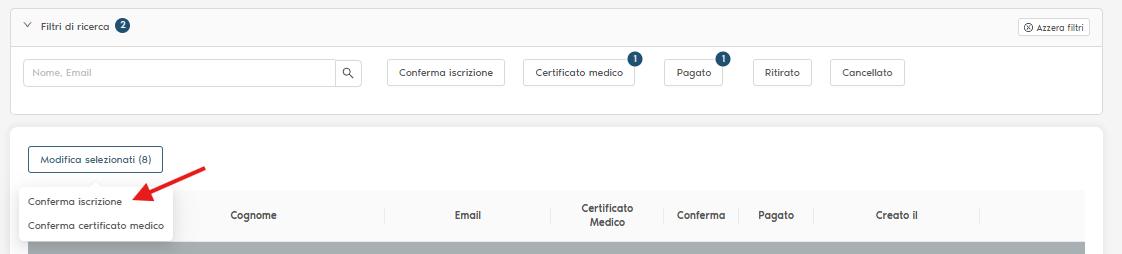
Athlete Registration Confirmation Procedure
Once a week, you must access the competition's 'Registrations' section and filter by 'Medical Certificate' -> 'Not Uploaded'.
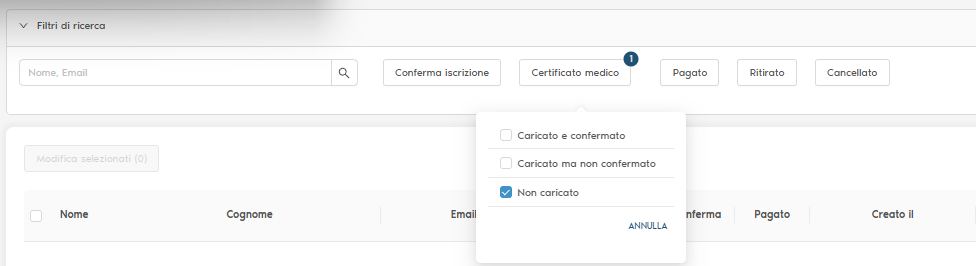
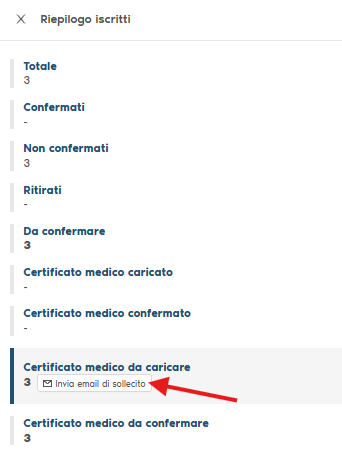
Once the athletes are displayed and selected, you must request the certificate upload: to do this, click on 'Registration Summary'.

and select 'Send reminder email'.
Once that is done, go back to the filters and select 'Medical Certificate' -> 'Uploaded, but not confirmed'.
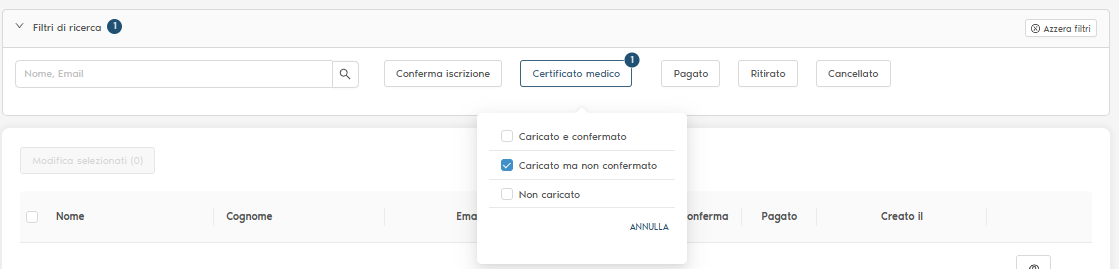
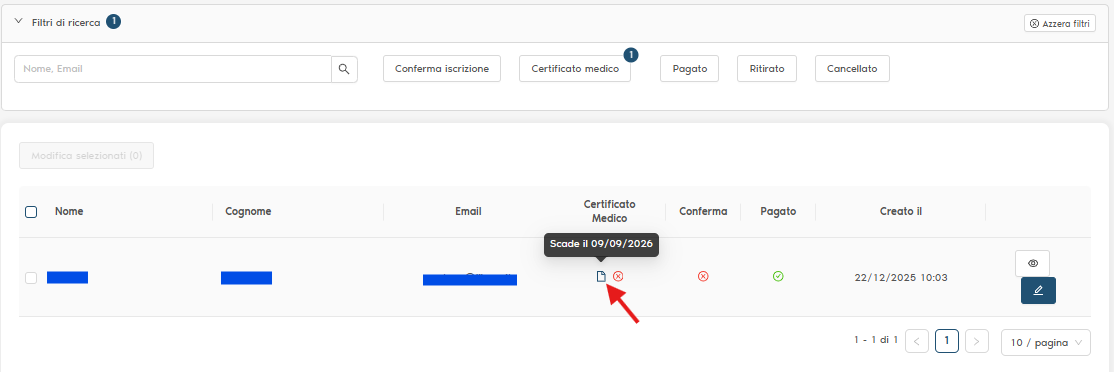
At this point, click on the icon indicated by the red arrow; this will allow you to view the medical certificates of athletes still awaiting confirmation to verify their eligibility: the expiration date must be after the competition date, the competitive sport for which the fitness is certified must be consistent with the type of competition, and the doctor’s signature must be present.
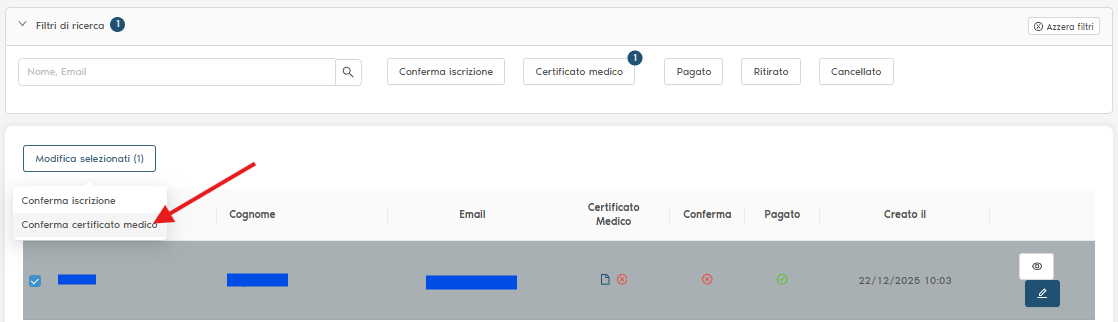
Once the validity of the certificates has been verified, you can proceed with their confirmation by selecting the names, then clicking on 'Modify selected' -> 'Confirm medical certificate' -> 'Confirm'.
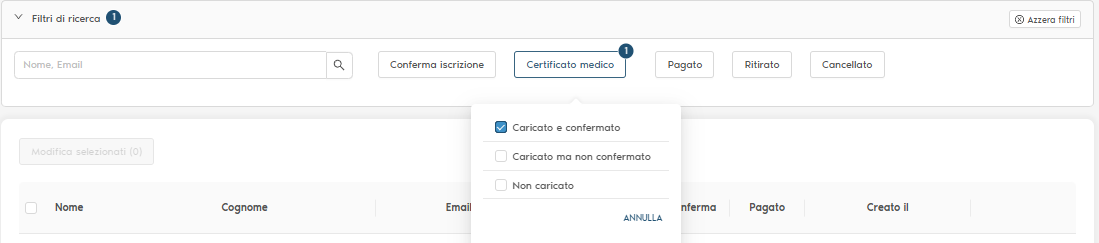
At this point, select the filter 'Medical Certificate' -> 'Uploaded and confirmed'.
and the 'Paid' filter -> 'Yes'.
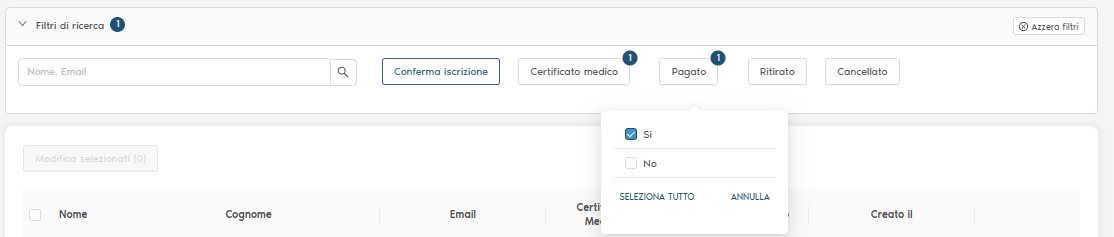
From the resulting list, select all items by clicking the checkbox at the top, then click on 'Modify selected' -> 'Confirm registration' -> 'Confirm'.