How to cancel a registration for your sporting event
Dear organizer,
Today we will see how to cancel a registration for the event you created on Keepsporting.
Access the 'Manage Events' section
The first action you need to take is to go to the 'Manage events' section
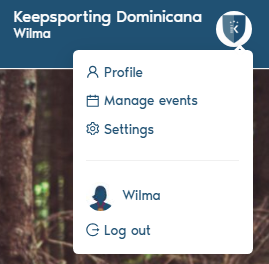
From here, select the event for which you wish to delete one or more registrations.
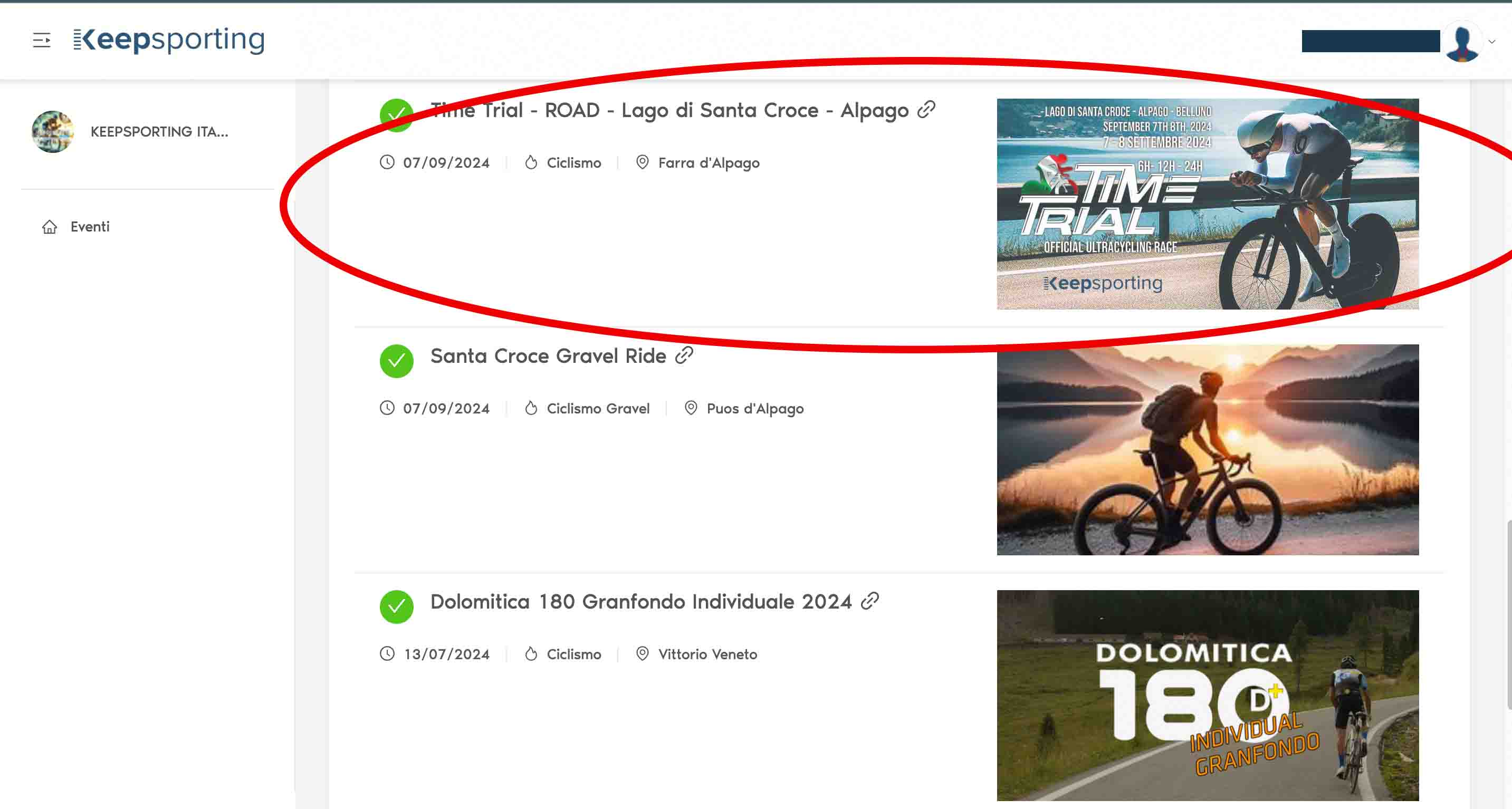
In our case, we will take 'Time Trial - ROAD - Lago di Santa Croce - Alpago' as a reference and click on the event to proceed.
2. Go to the 'PAYMENTS' section
Once the event is selected, we go to the 'PAYMENTS' section, which is located on the right."
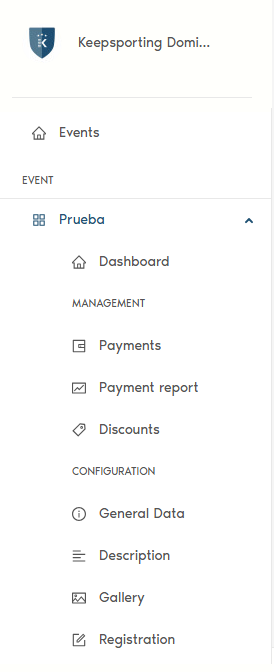
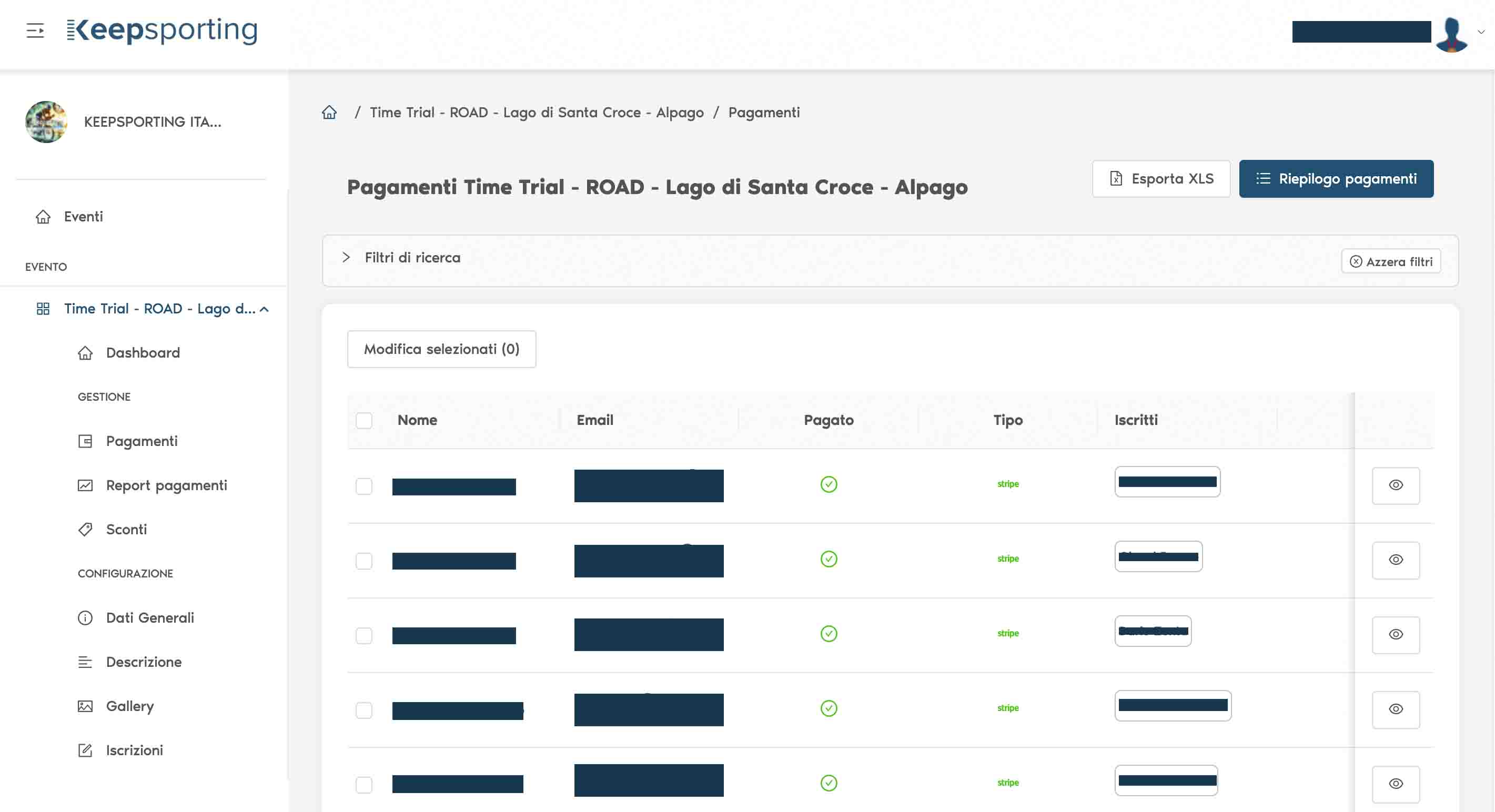
By clicking on the 'PAYMENTS' section, you will see the complete list of all athletes who have already made the payment to participate in the event.
3. Find the registration you want to delete
Once in 'PAYMENTS', you will see the list of athletes who have already registered for your event. At this point, scroll through the list to find the athlete whose registration you want to delete (you can find them more easily using the search filters).
4. Access the 'athlete registration' record
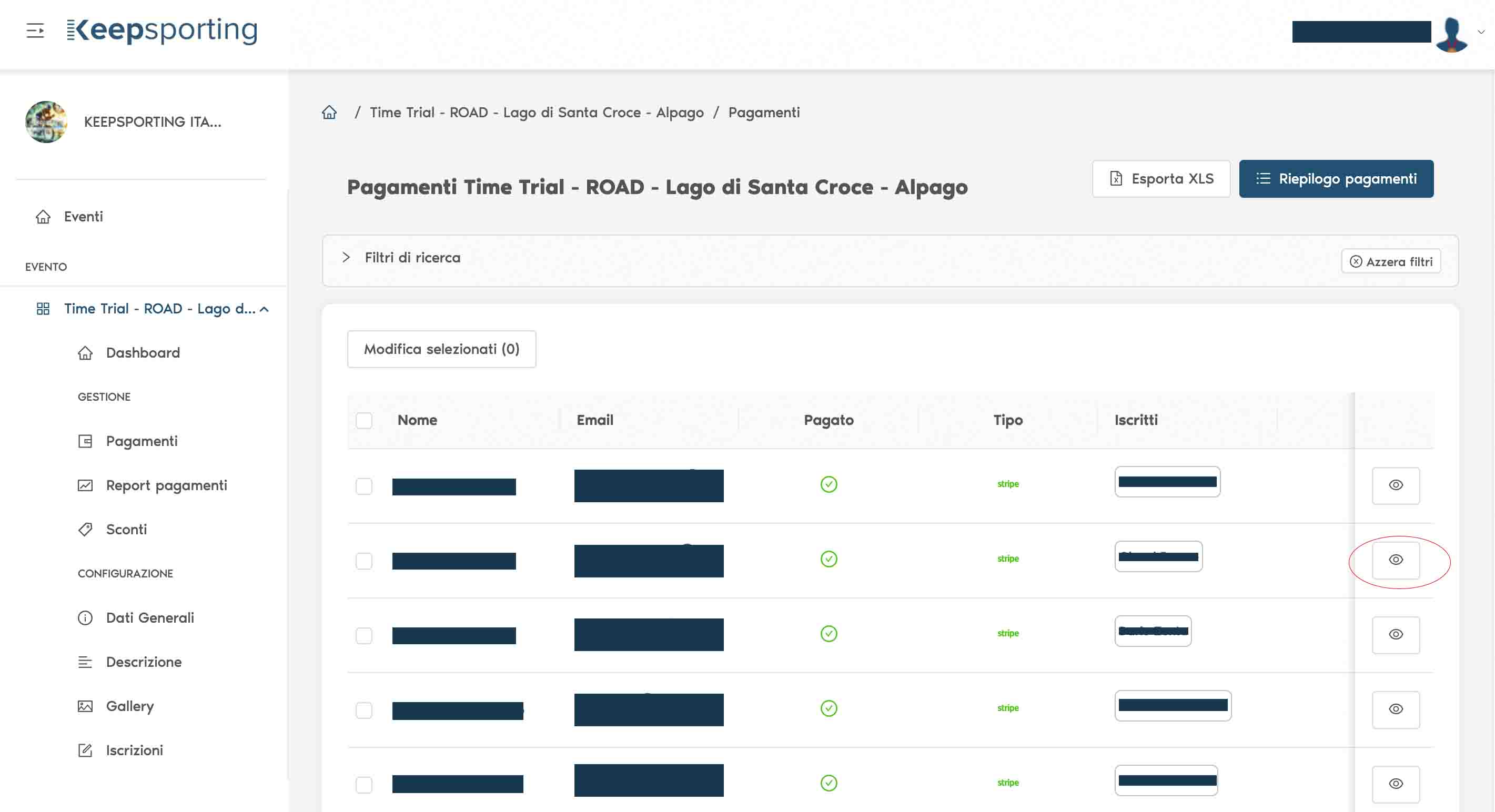
After identifying the athlete whose registration you want to delete, access their payment record by clicking on the eye icon.
5. Delete the payment
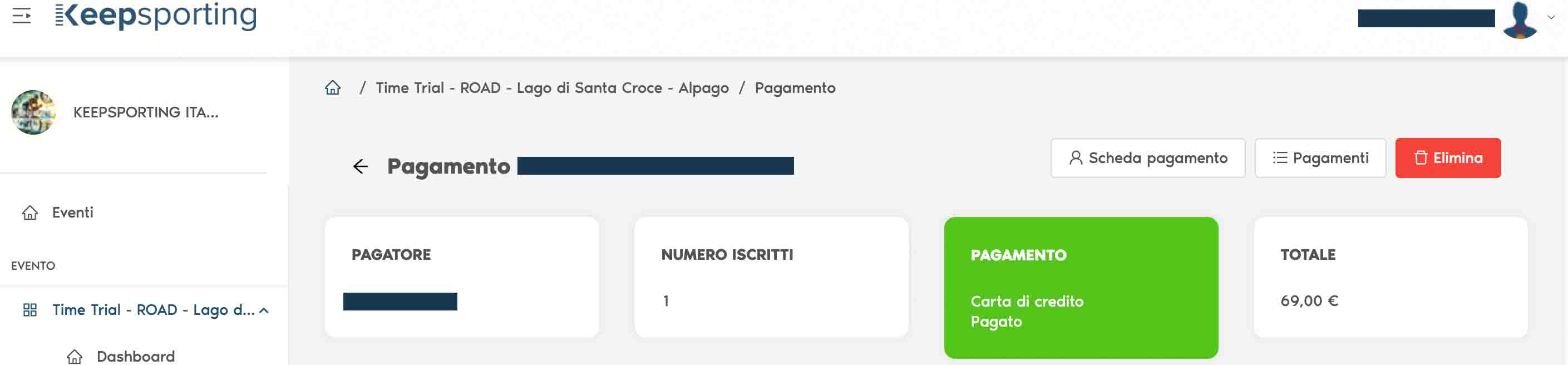
Upon entering the individual athlete's payment record, you will see a summary of all the data related to the payment.
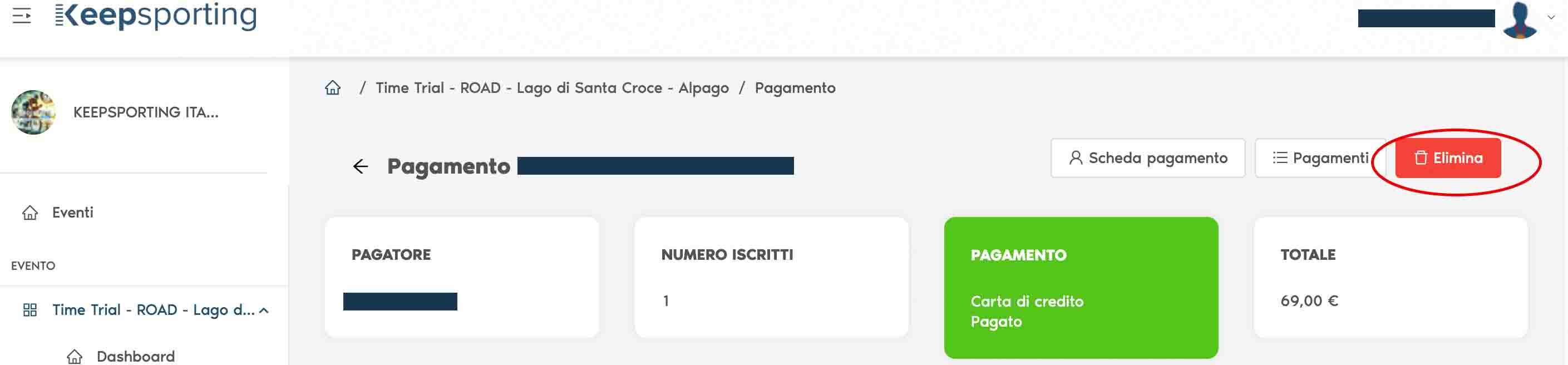
At this point, click the 'DELETE' button and the athlete's registration will be automatically removed.
6. What to do if the payment has already been made successfully
In case the payment has already been made successfully, it will not be possible to cancel it, and you must mark the athlete as 'withdrawn' (or 'dropout').