How to enter the organizer's contact information in your event


Hello event organizer friend! How are you?
Welcome to this tutorial on how to enter your organization's contact details in your event. This is an excellent practice, as it allows you to have better and faster communication with your clients and establish an increasingly close relationship of trust. After all, what would events be without our precise athletes?"
In your event panel, look at the left side menu for the option: 'General Data'. Click it, and the contact configuration page will open as shown in the image below.
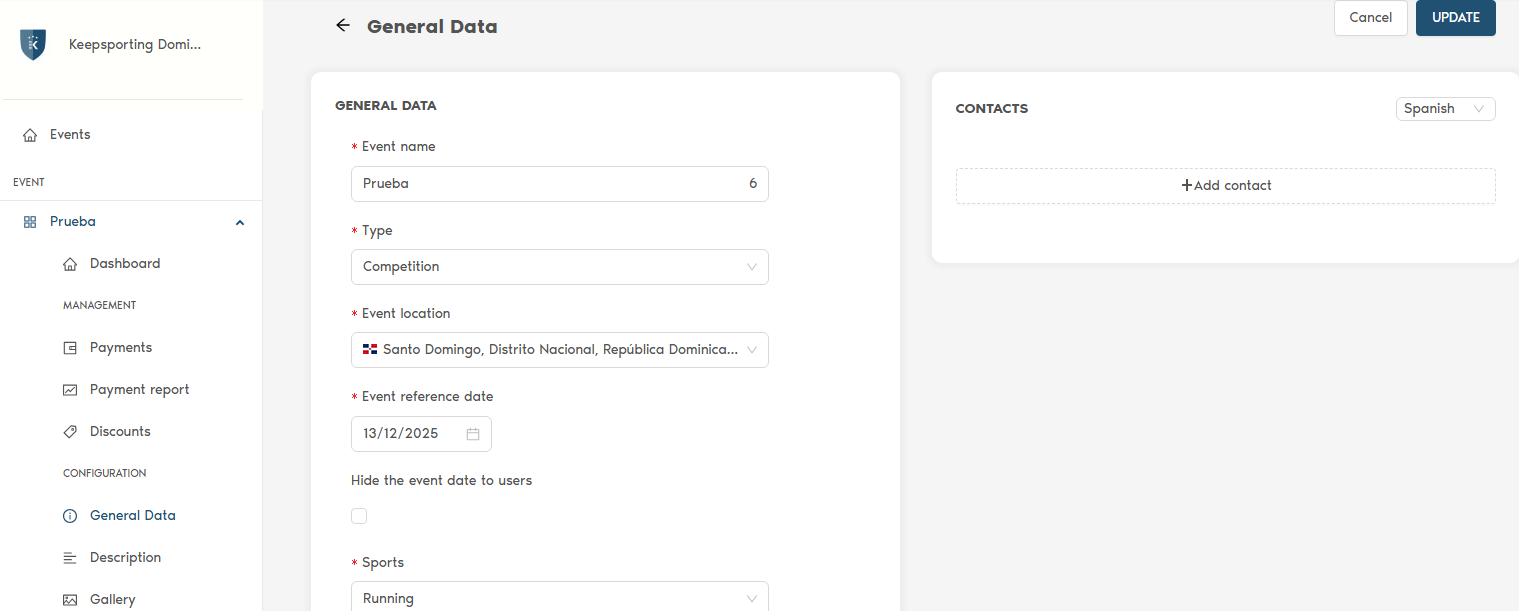
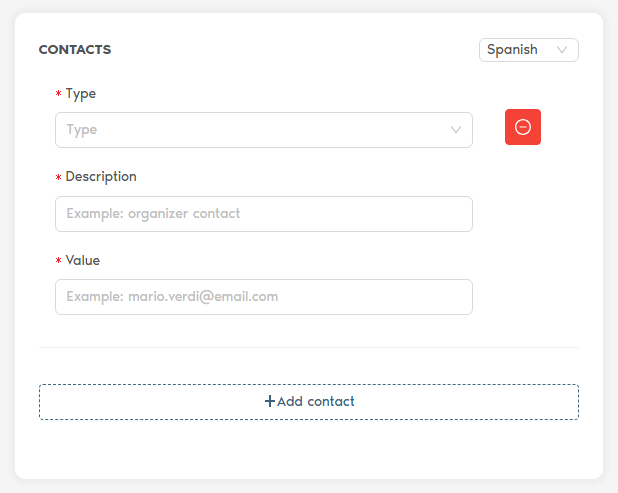
Click on the '+ Add contact' option and you will have the following contact types:
Fax | E-mail | Phone | Mobile | Skype | WhatsApp | Other | Web
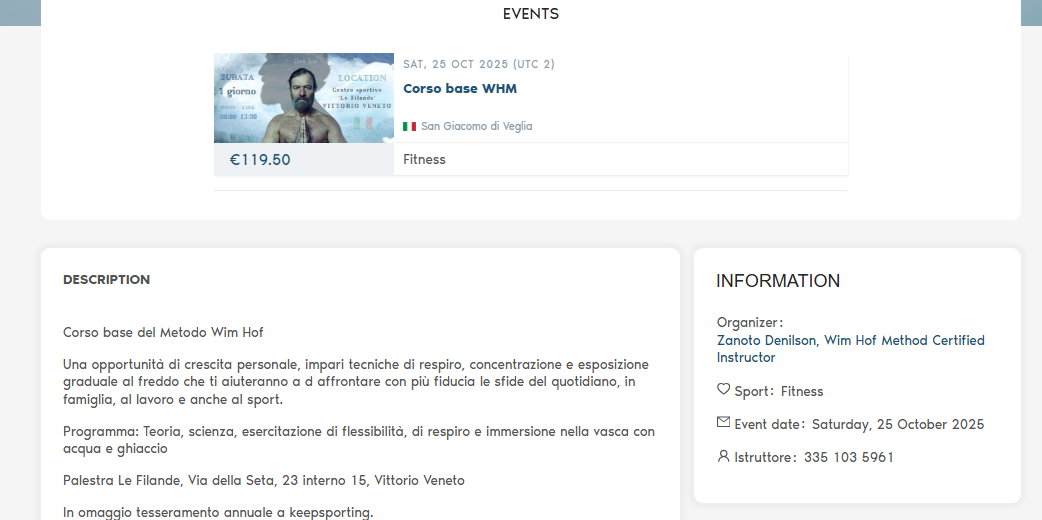
Look below how it will appear on the event page, where we highlight it with the blue marker.
Did you like it? Now you will be more confident that your athletes will be able to contact you, establishing a closer relationship of trust.
Greetings from the Keepsporting team!