How to give other Keepsporting users permission to manage your event organizer page

Welcome back to the Keepsporting blog!
Today we'll see how you can, once you've created your sports organization, give your collaborators permission to manage the page.
Log in to your organizer profile and click on 'Settings':
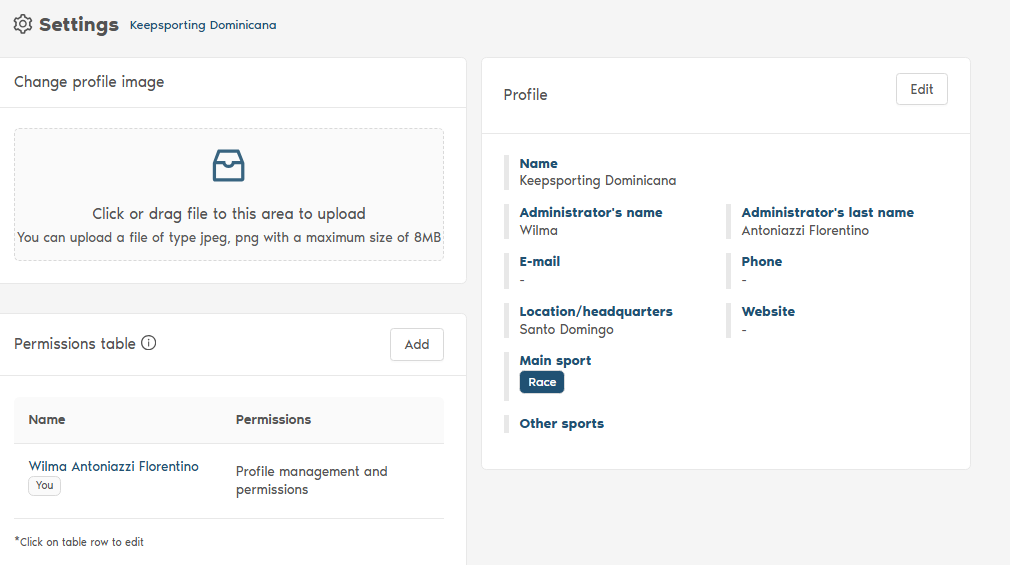
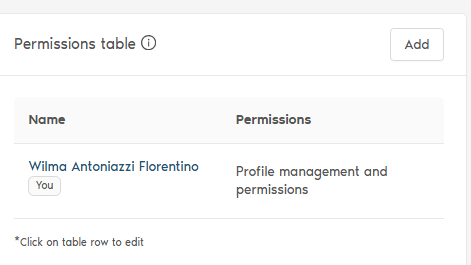
Go to the 'Permissions table' and click 'Add':
Now enter the email address of the user you want to give permission to manage your organizer page (this user must, of course, have a personal Keepsporting profile) and select from the dropdown menu whether to grant them 'Profile management' permission or 'Profile and permissions management' permission (in the latter case, the user will be able to grant permission to other users to manage the page as well):
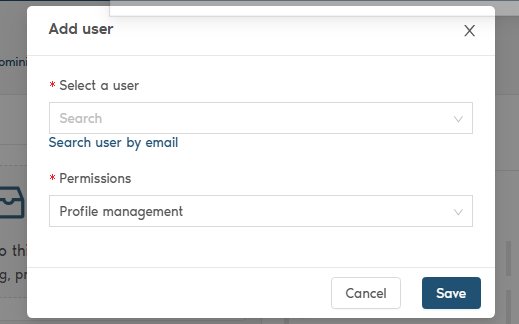
Finally, click 'Save'.
We hope this explanation has been useful to you; however, for any questions, please contact us.
E-mail: info@keepsporting.com
Instagram: https://www.instagram.com/keepsportingitalia/
Facebook: https://www.facebook.com/keepsportingitalia