How to sign up for an event on Keepsporting with a discount code


Hello athlete! The organizer of a sports event gave you a discount code for registration and you don't know how to use it on Keepsporting?
Here's how to do it! Follow the instructions below and you can complete your registration in less than a minute:
- Enter the event search page and select the event for which you need to register. To search for your event, a menu on the left will help you, allowing you to search by name, sport, location, and date.
- Enter the selected event and click the 'Register' button.
- You will find fields where you can enter the number of tickets you want to purchase, and below, a dropdown menu that says 'Enter discount code'.
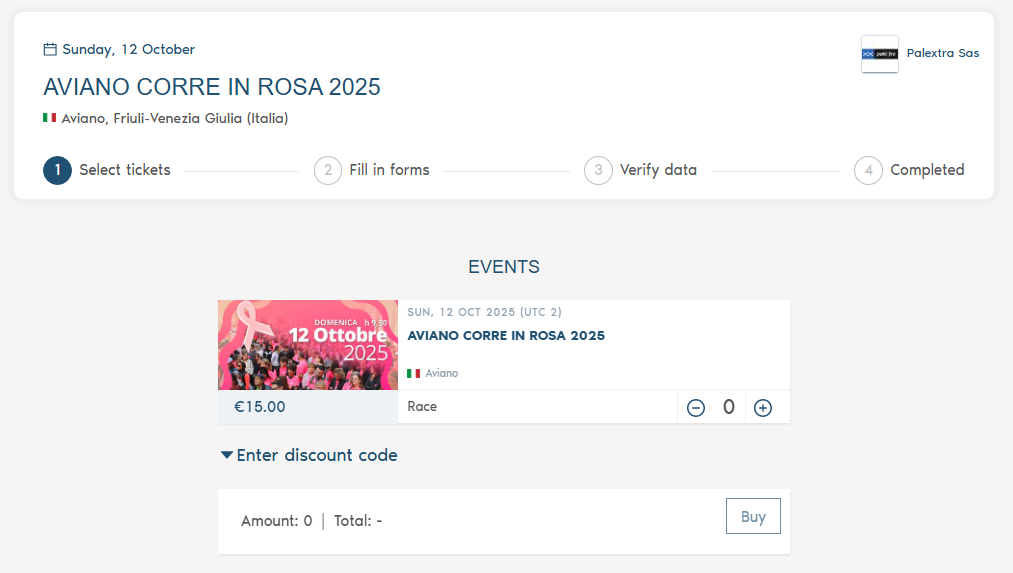
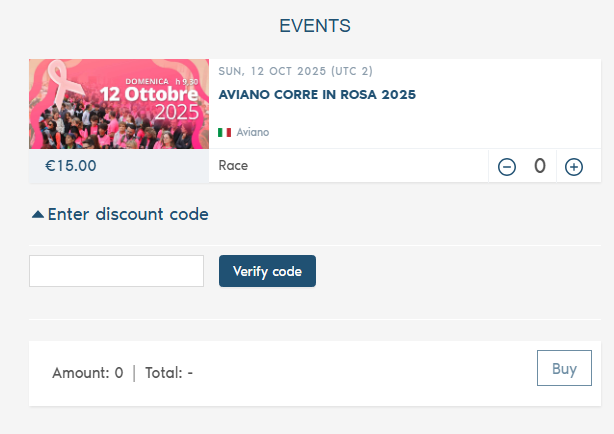
4) Click on 'Enter discount code', type your code, and click on 'Verify code': the discount will be automatically applied to you.
We wish you a healthy and fun sports activity!