How to upload the logo to the organization's profile page

Dear organizer,
in this brief tutorial we will see step by step how to upload the organization's logo to your page on Keepsporting.
1. Access Keepsporting
First of all, make sure you have logged in to www.keepsporting.com using your credentials. This will allow you to access all the necessary functions to manage your profile.

2. Go to the 'My Organizers' Section
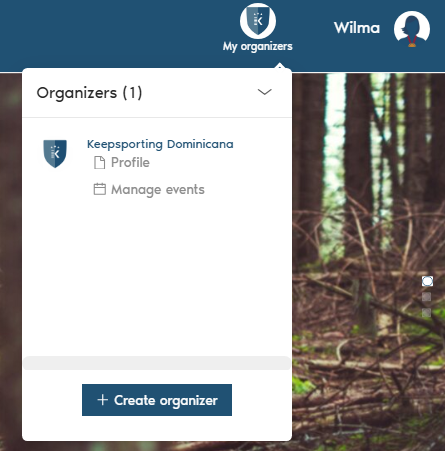
Once logged in, in the upper right part of the page you will find the 'My Organizers' menu. Click once on this item to view the list of organizers you are associated with.

And then click on your organizer.
3. Access the Settings
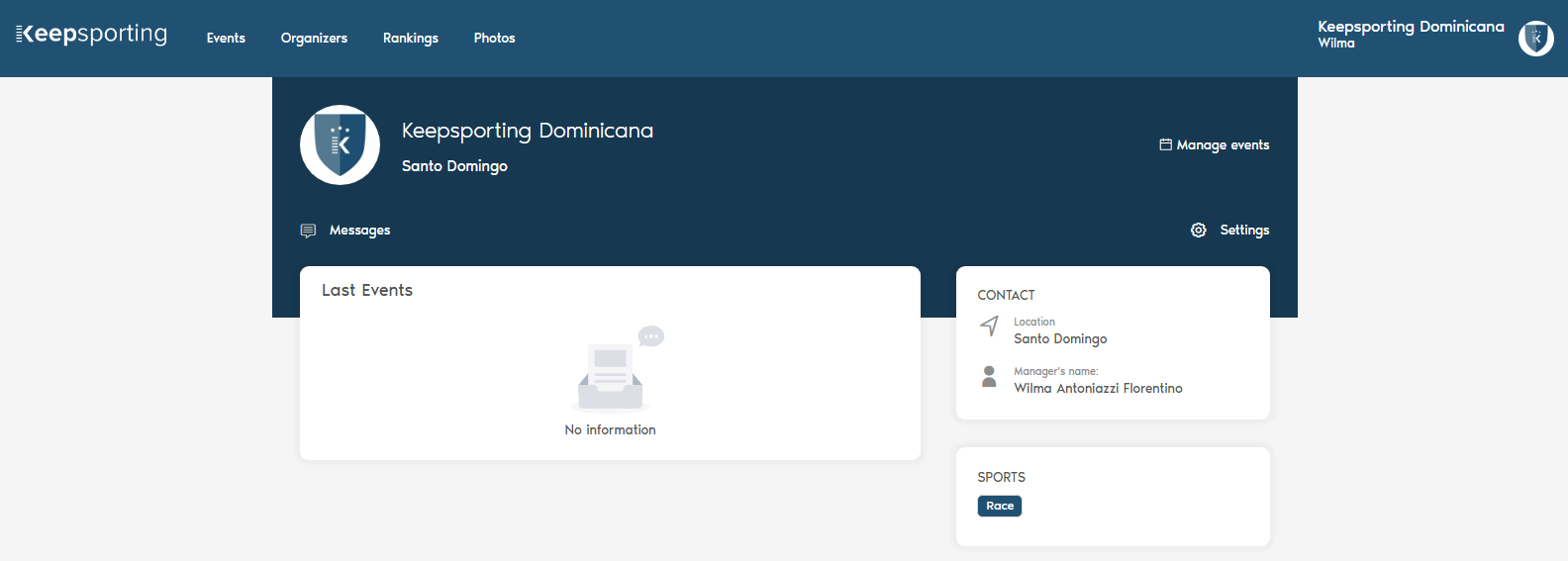
Once you have entered your organizer page, click on 'Settings' in the top right, as shown in the figure below. This section allows you to customize various aspects of the profile, including the image.
4. Upload the Logo
To change the image, simply drag it or upload it in the 'Change profile image' area under 'Settings'.
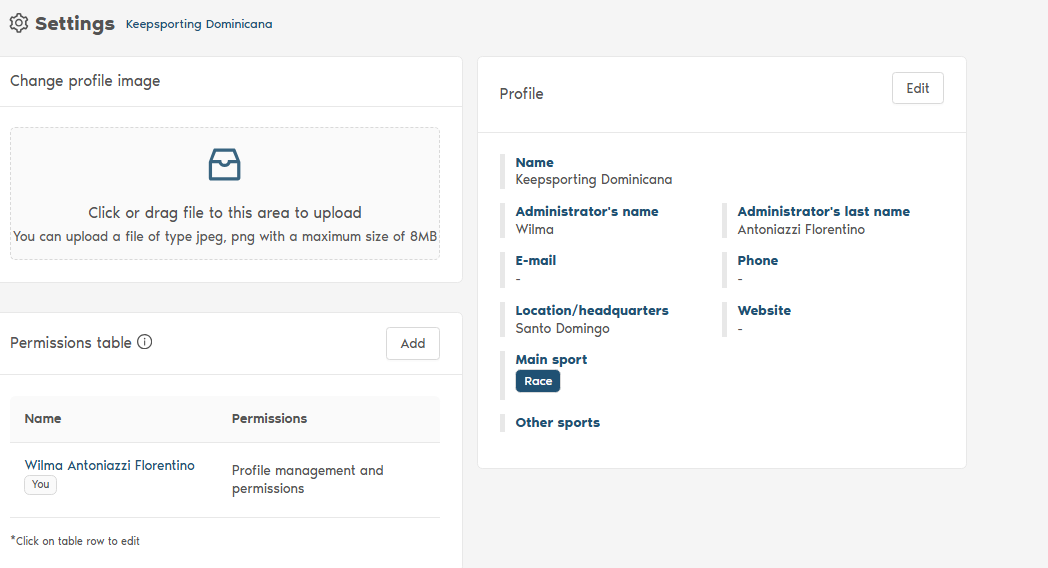
Remember that the image must have a maximum size of 8 MB.